Captions on every word
Whisper listens to your voiceover and lights up each word as it is spoken.
Nofacely writes the script, voices it, and edits it with captions, on your own Windows PC. Free during the beta.
Drop in the link to a video that is doing well in your niche.
Claude writes a new script and searches the web for the latest news first.
Down nine with four minutes left. Then the bench took over.
ElevenLabs reads it in the voice you pick from your own account.
It cuts clips from the footage, times captions to every word, and renders on your graphics card.
Whisper listens to your voiceover and lights up each word as it is spoken.
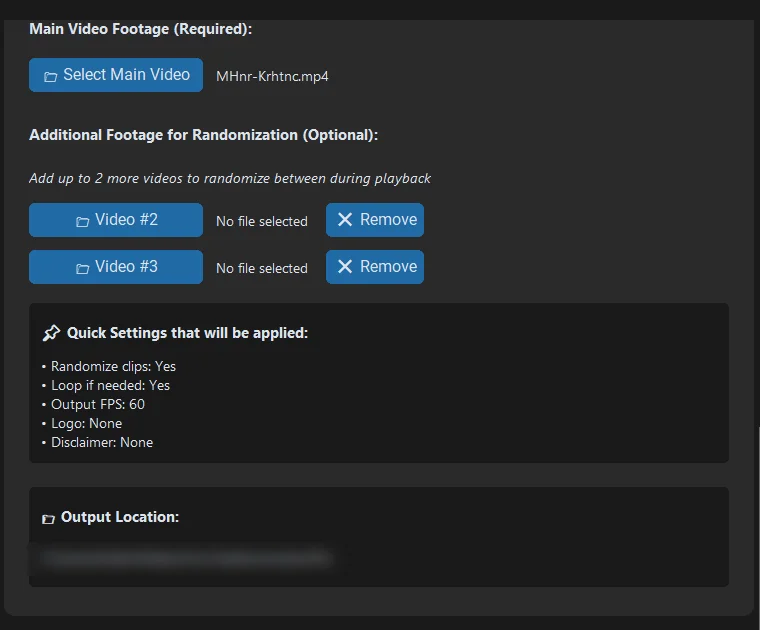
Use your own script or voiceover, and mix in up to three footage files.
If the source opens with a host on camera, Nofacely finds those shots and leaves them out of your clips.
The script lands in an editable box. Change any line, then send it to the voice.
Runs on your PC. Uses your keys.
Claude and ElevenLabs bill your own accounts directly. Your scripts, voiceovers, and videos stay on your computer. The only thing Nofacely checks is your license.
Never made an API key? The setup guide walks you through both, start to finish.
Read the setup guideWindows may say it protected your PC the first time you open Nofacely. Click More info, then Run anyway. The app is not code-signed yet.
We are opening Nofacely to a small group of news and sports channels first.
You get the app free during the beta and founders' pricing when it launches. In return, tell us what breaks.
Nofacely is free during the beta. You pay Anthropic and ElevenLabs directly for what you use, on your own accounts. Pricing for Nofacely itself comes at launch, and beta testers get founders' pricing.
Not yet. Nofacely runs on Windows 10 and 11.
No. With one, renders are much faster. Without one, Nofacely renders on your processor, which takes longer.
No. You paste a link, read over the script, and click through. The setup guide covers getting your API keys.
You are responsible for what you publish. Nofacely writes a new script and a new voiceover, but the footage comes from your source. Read YouTube's policies on reused content and only publish footage you have the right to use.
Your email and a device ID, to check your license. Your scripts, voiceovers, and videos never leave your computer except to the AI services you connect with your own keys. The privacy policy has the details.